Making underground airflow data reliable

Time

2-week design sprint

Role

Product Designer

Team

2 Designers

1 Stakeholder

Focus

UX Research

UI Design

Brand Design

Design System
Overview

Research

Ideation

Iteration

Final Product

Reflection

Overview

The existing platform was built for demo-level functionality, not for real user workflows.

The PlusQ platform was originally designed to demonstrate funktion capabilities rather than to support real-world operations. Without defined user flows or visual guidance, the system limited efficiency and reduced user trust in professional working environments.

Overview

The existing platform was built for demo-level functionality, not for real user workflows.

The PlusQ platform was originally designed to demonstrate funktion capabilities rather than to support real-world operations. Without defined user flows or visual guidance, the system limited efficiency and reduced user trust in professional working environments.

Overview

The existing platform was built for demo-level functionality, not for real user workflows.

The PlusQ platform was originally designed to demonstrate funktion capabilities rather than to support real-world operations. Without defined user flows or visual guidance, the system limited efficiency and reduced user trust in professional working environments.

Why Redesign

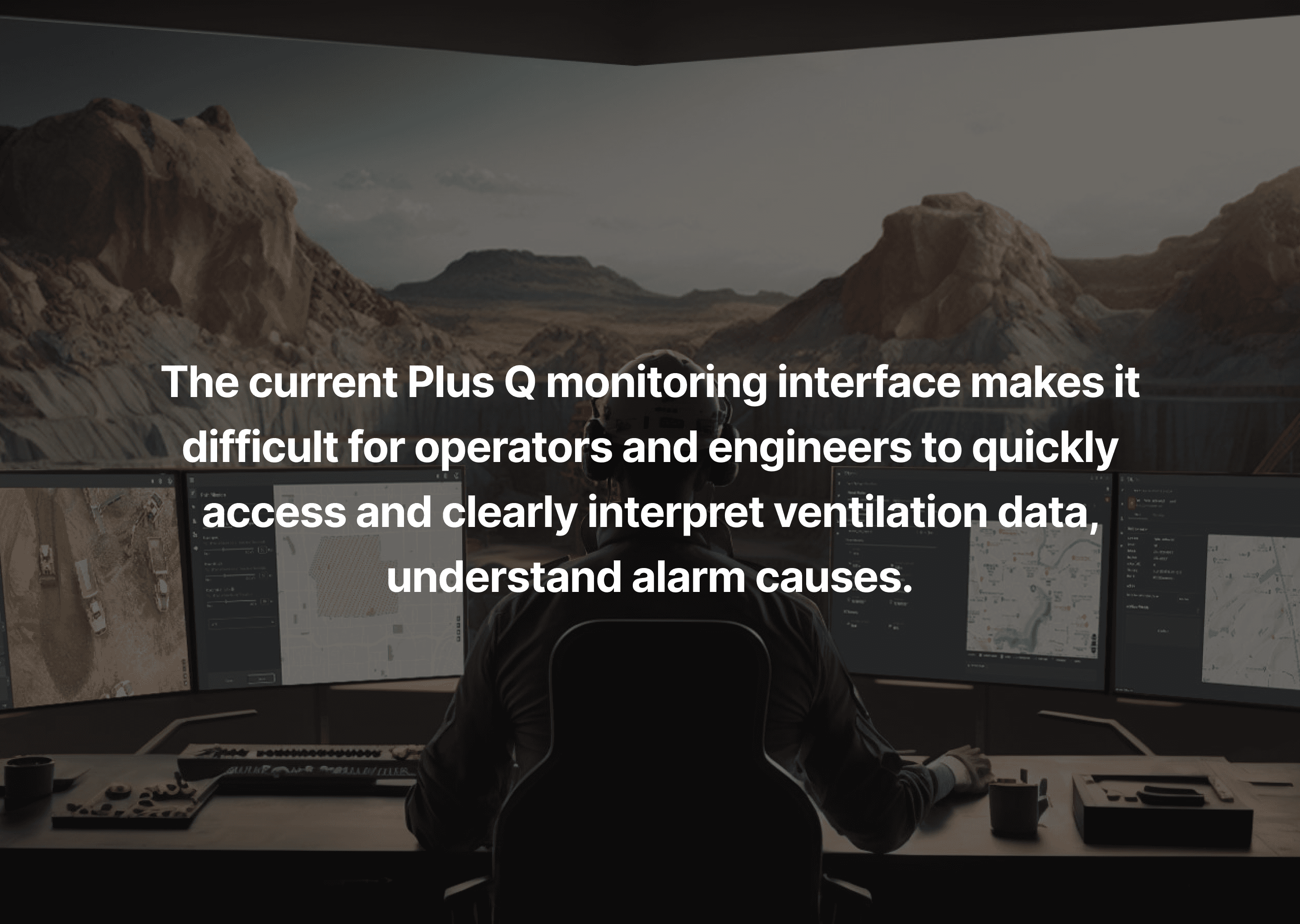
The current platform’s complexity leads to some problems: dense information, disconnected pages, and unclear visual hierarchy.

Task

The task was to improve the experience for two user groups: operators and engineers.

And also modernizing the interface.

Constraints

Key constraints included unfamiliar industrial terminology, the absence of a brand identity, and limited access to real users since the product existed only as a demo version.

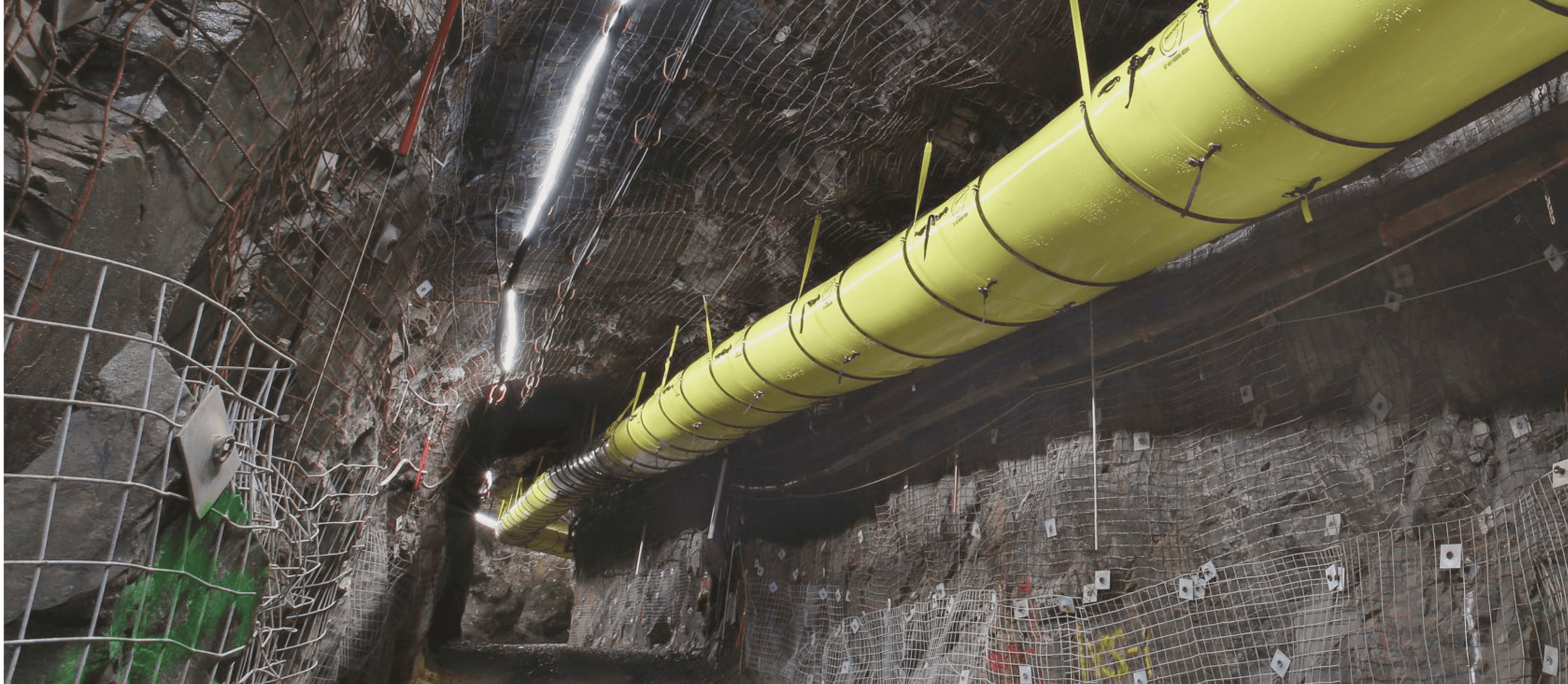
"Underground ventilation isn’t just a technical issue, it’s about safety and survival."

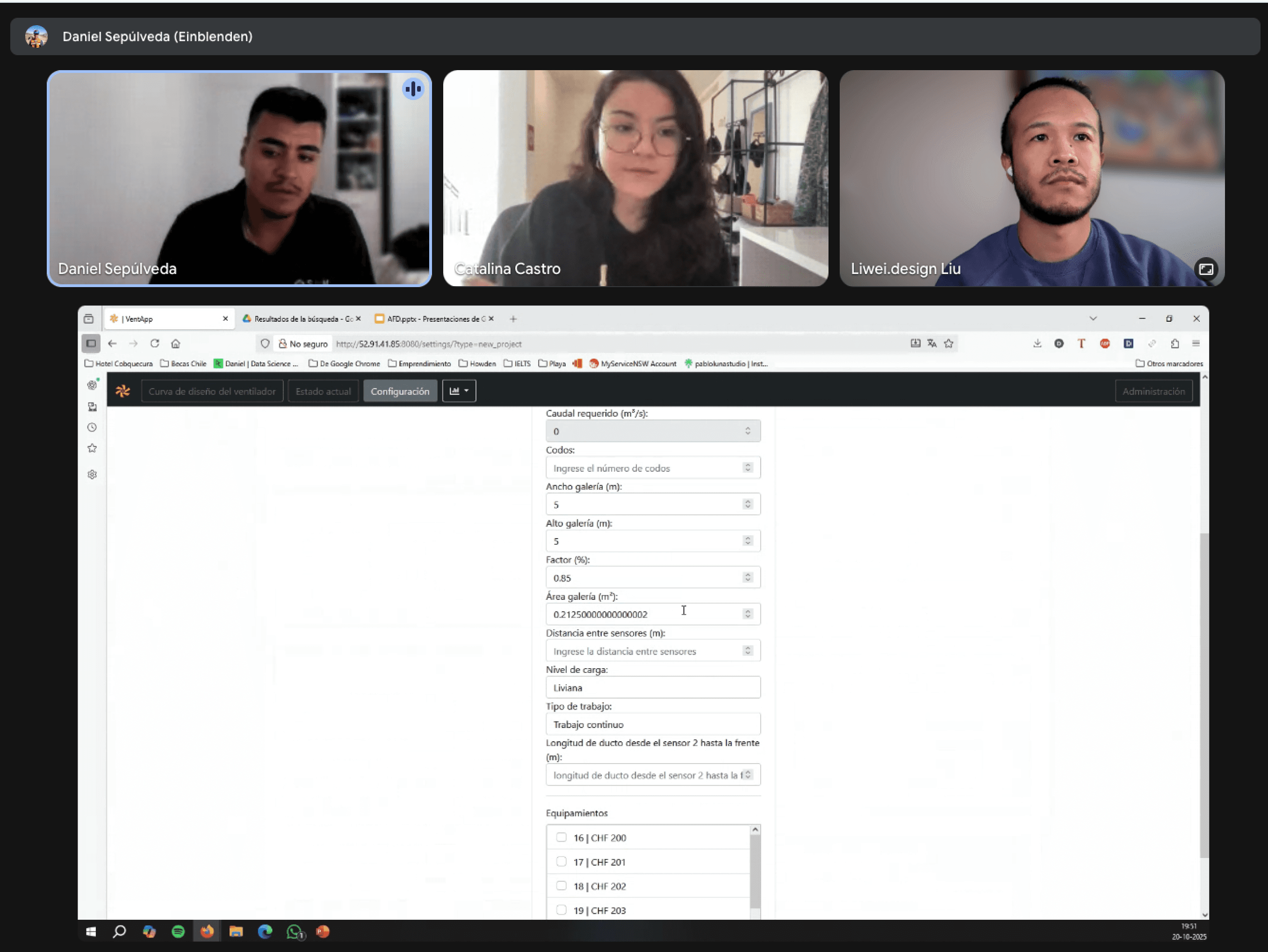
When Daniel, the stakeholder, introduced the platform, the first impression was not technical but human — a reminder of how dangerous underground environments can become when airflow fails.

"Underground ventilation isn’t just a technical issue, it’s about safety and survival."

When Daniel, the stakeholder, introduced the platform, the first impression was not technical but human — a reminder of how dangerous underground environments can become when airflow fails.

"Underground ventilation isn’t just a technical issue, it’s about safety and survival."

When Daniel, the stakeholder, introduced the platform, the first impression was not technical but human — a reminder of how dangerous underground environments can become when airflow fails.

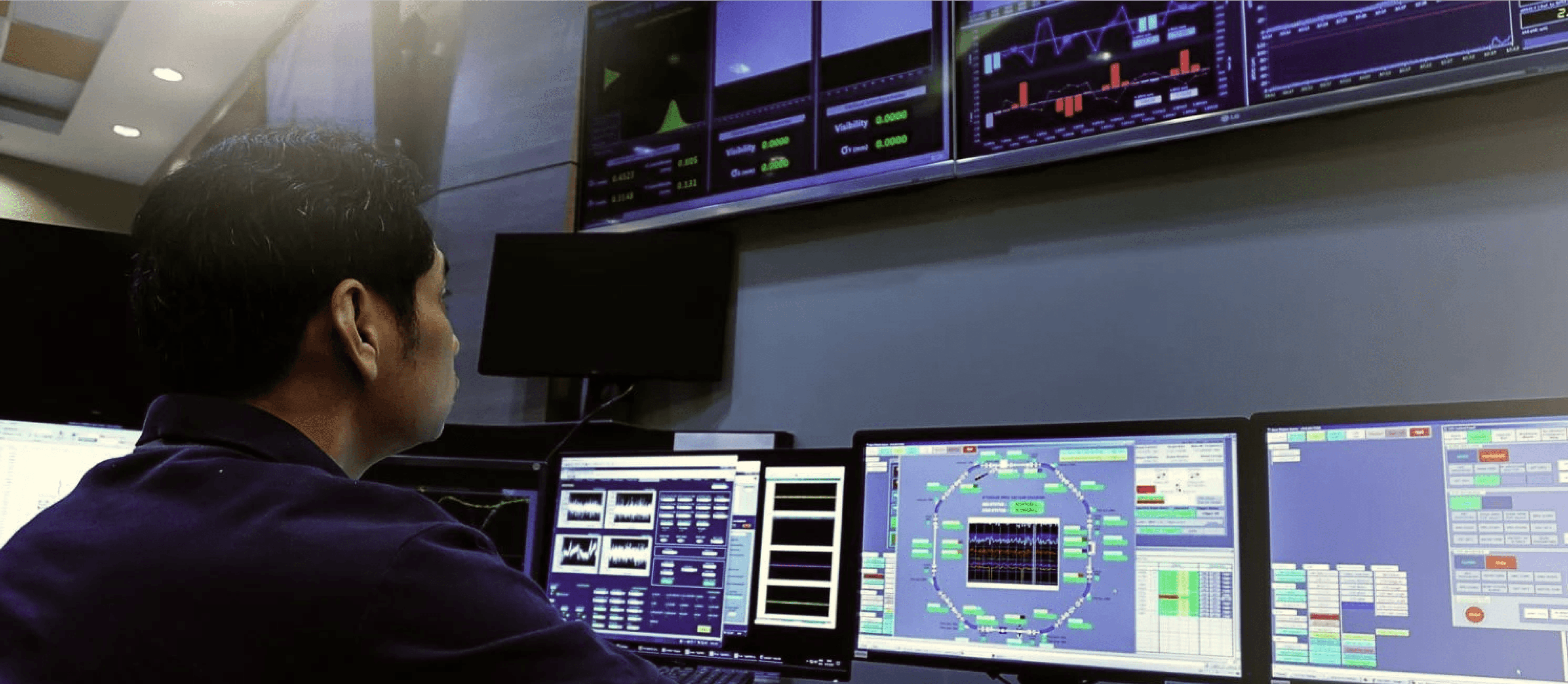
Underground and monitoring room
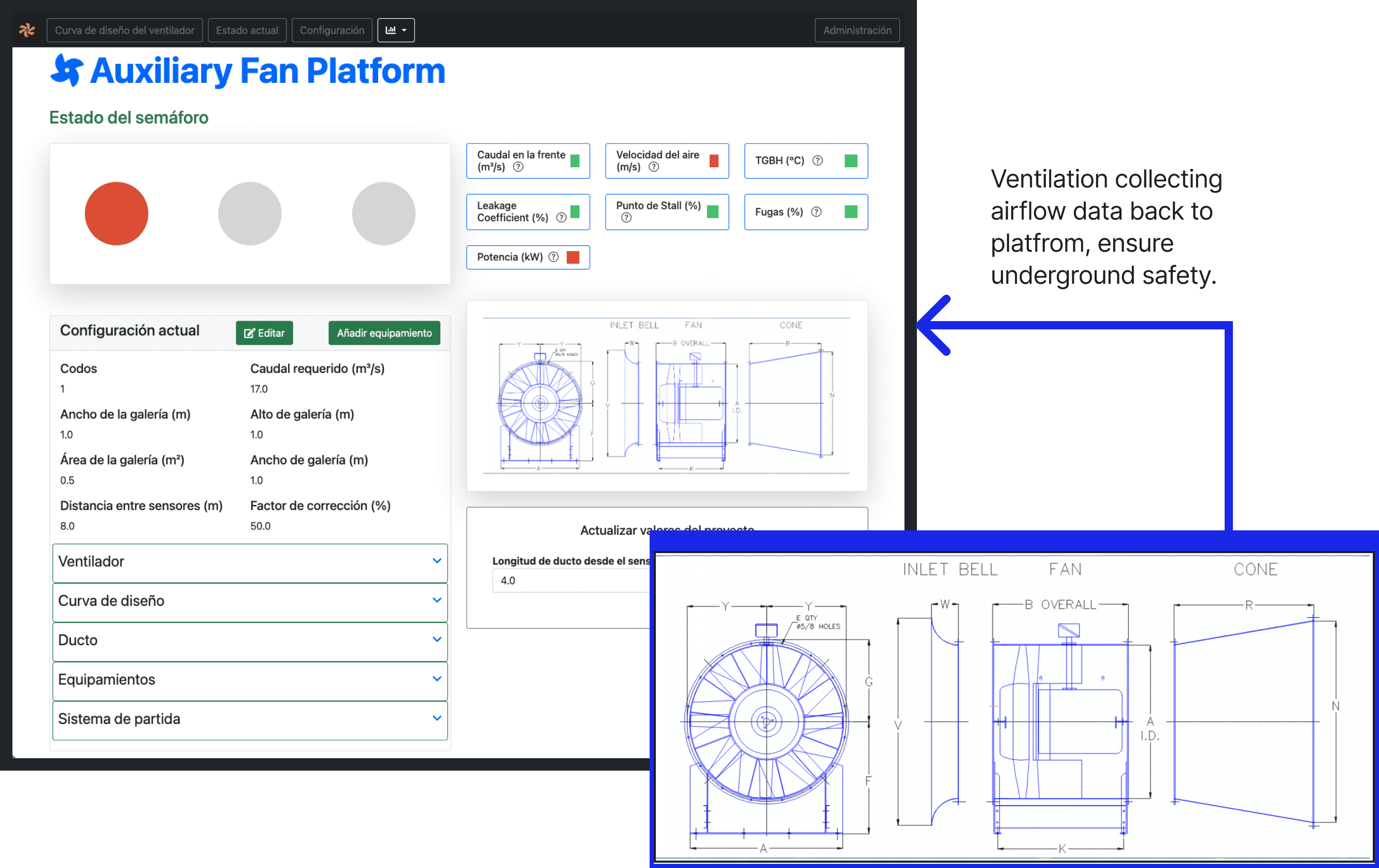
Current system and ventilation
Main Challenge

"As designers, we were the blockers in this project."

Before improving the user experience, we had to understand the experience itself. As designers, we were the blockers. The quality of our understanding would define the quality of the solution. This meant the main challenges are learning the domain, mapping system logic, and defining user flows before touching the UI.

Main Challenge

"As designers, we were the blockers in this project."

Before improving the user experience, we had to understand the experience itself. As designers, we were the blockers. The quality of our understanding would define the quality of the solution. This meant the main challenges are learning the domain, mapping system logic, and defining user flows before touching the UI.

Main Challenge

"As designers, we were the blockers in this project."

Before improving the user experience, we had to understand the experience itself. As designers, we were the blockers. The quality of our understanding would define the quality of the solution. This meant the main challenges are learning the domain, mapping system logic, and defining user flows before touching the UI.

Understanding the problem

Understand the what the system does and also the users behind the screens.

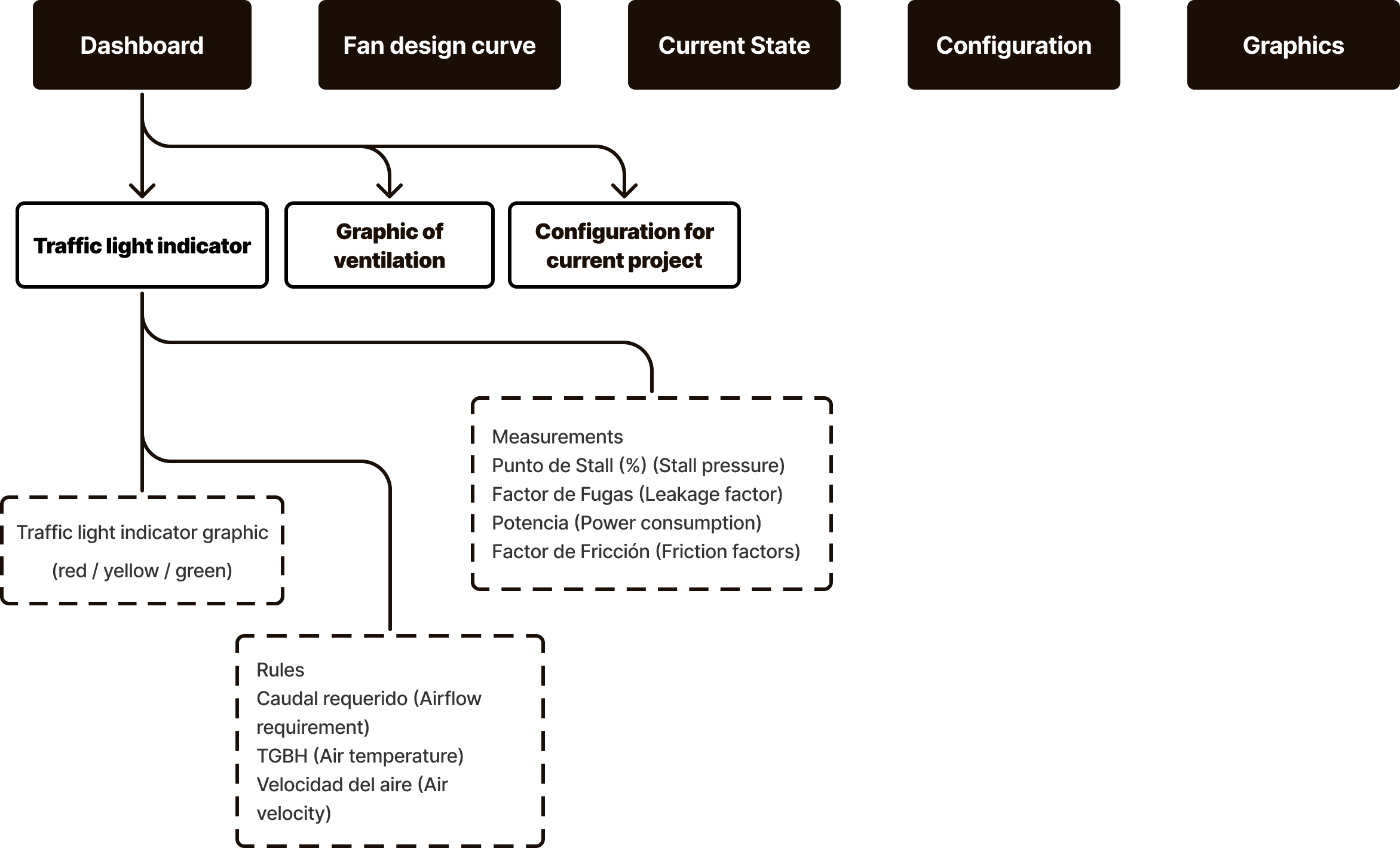
To move beyond assumptions, I analyzed the existing architecture page by page and traced how data connected across screens.

Understanding the problem

Understand the what the system does and also the users behind the screens.

To move beyond assumptions, I analyzed the existing architecture page by page and traced how data connected across screens.

Understanding the problem

Understand the what the system does and also the users behind the screens.

To move beyond assumptions, I analyzed the existing architecture page by page and traced how data connected across screens.

Analysed the current IA and learnt the terminology

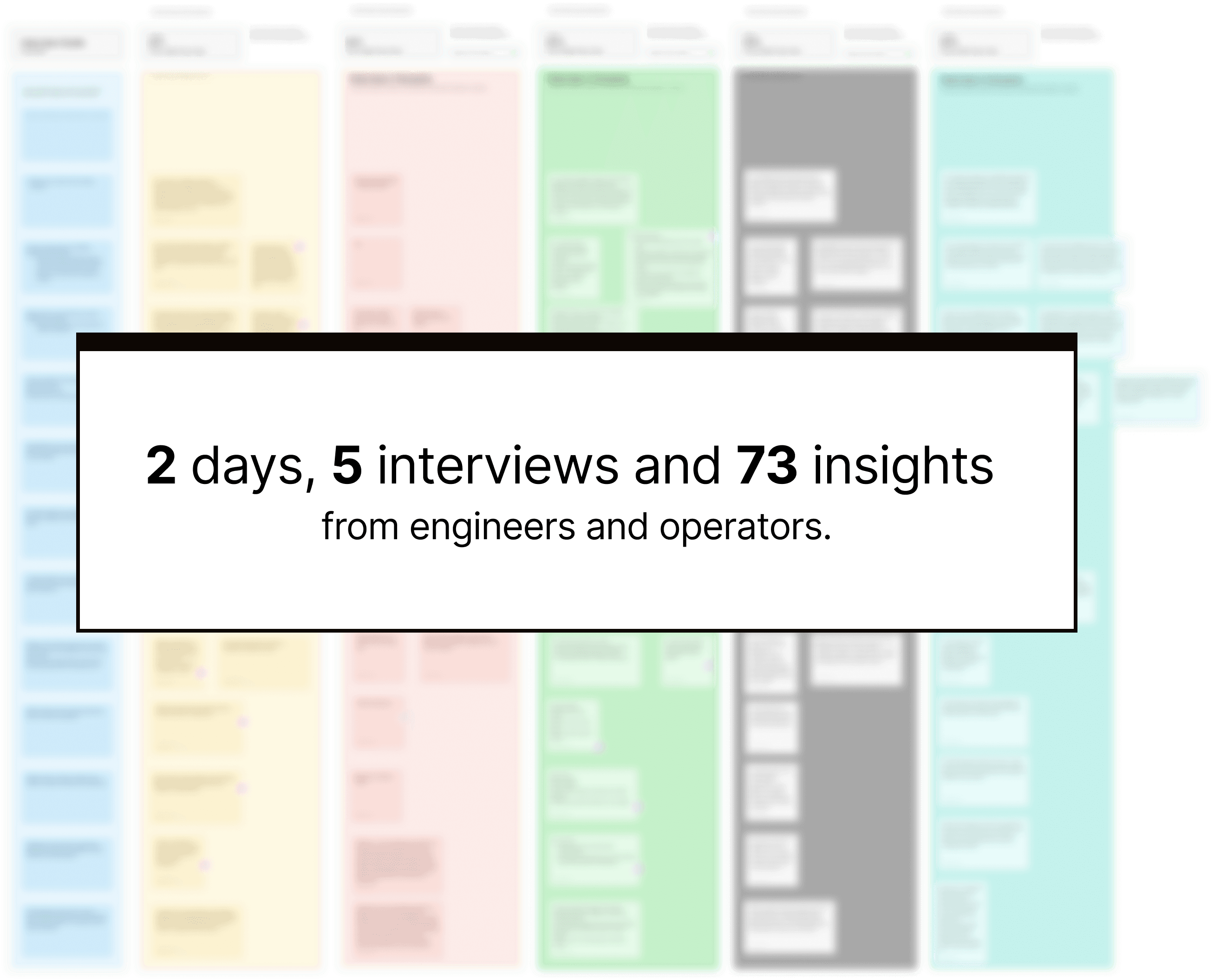
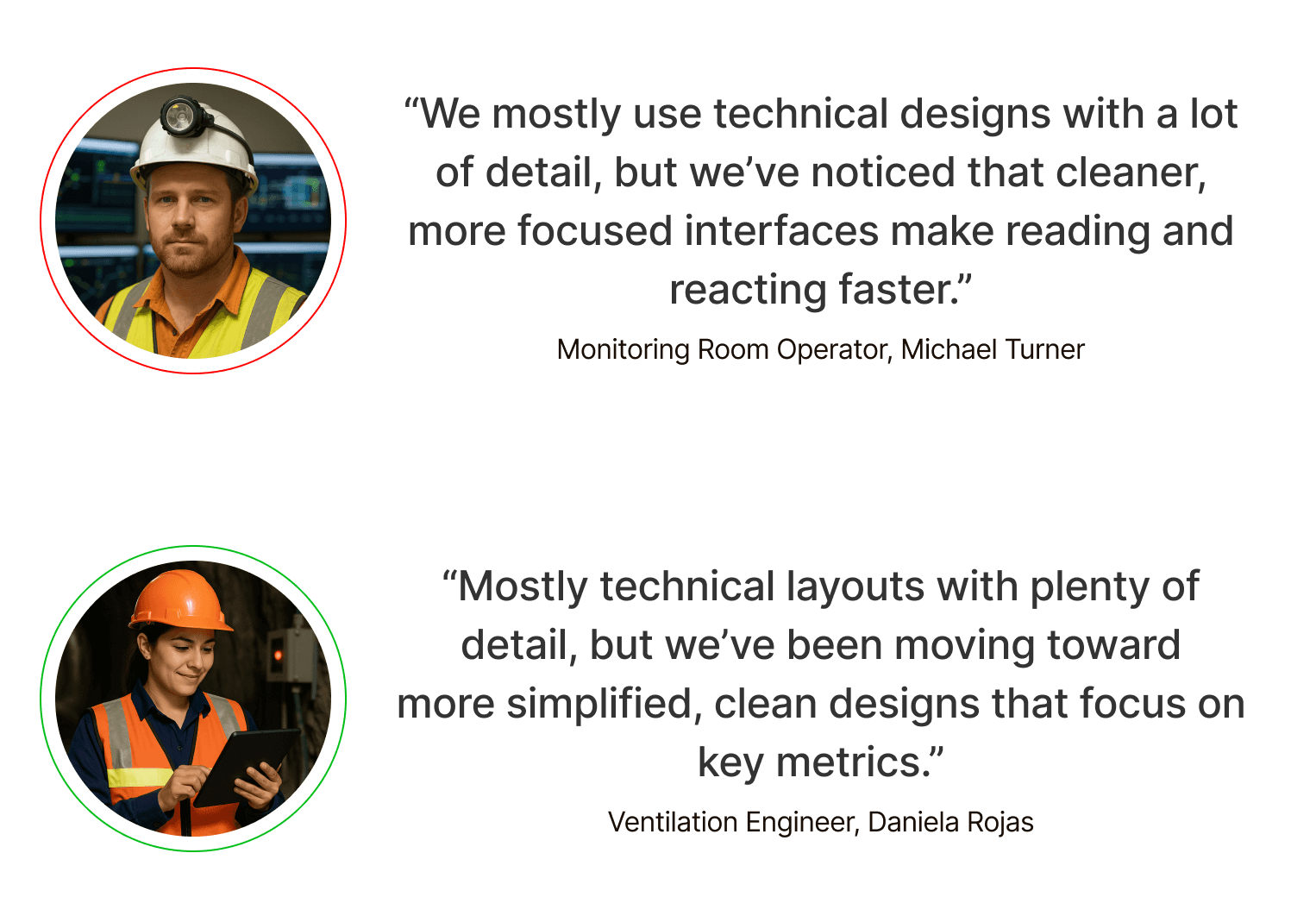
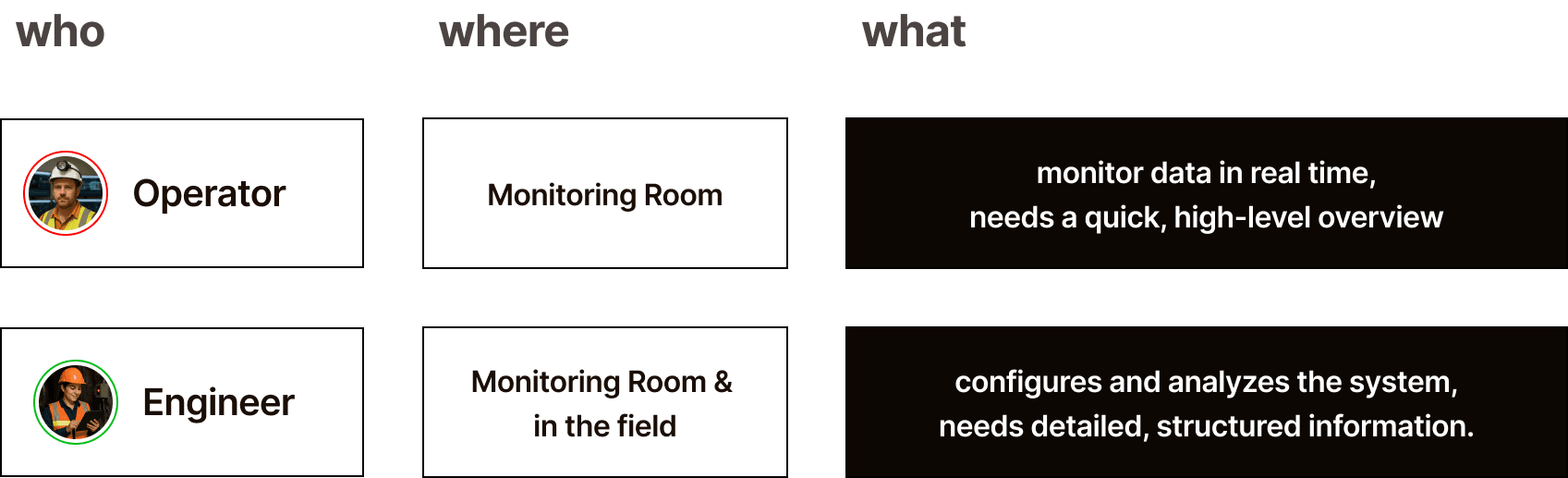
We then conducted five interviews with professionals — operators and engineers — to understand their daily routines and pain points. - Operators monitored live data in control rooms, focusing on real-time alerts. - Engineers configured parameters and analyzed performance trends. Both used the same platform but with different priorities. We visualized their workflows through personas and journey maps to clarify how decisions were made and what information each role relied on.

We then conducted five interviews with professionals — operators and engineers — to understand their daily routines and pain points. - Operators monitored live data in control rooms, focusing on real-time alerts. - Engineers configured parameters and analyzed performance trends. Both used the same platform but with different priorities. We visualized their workflows through personas and journey maps to clarify how decisions were made and what information each role relied on.

We then conducted five interviews with professionals — operators and engineers — to understand their daily routines and pain points. - Operators monitored live data in control rooms, focusing on real-time alerts. - Engineers configured parameters and analyzed performance trends. Both used the same platform but with different priorities. We visualized their workflows through personas and journey maps to clarify how decisions were made and what information each role relied on.

Redesign Goals Definition

Refining user flow before touching the UI.

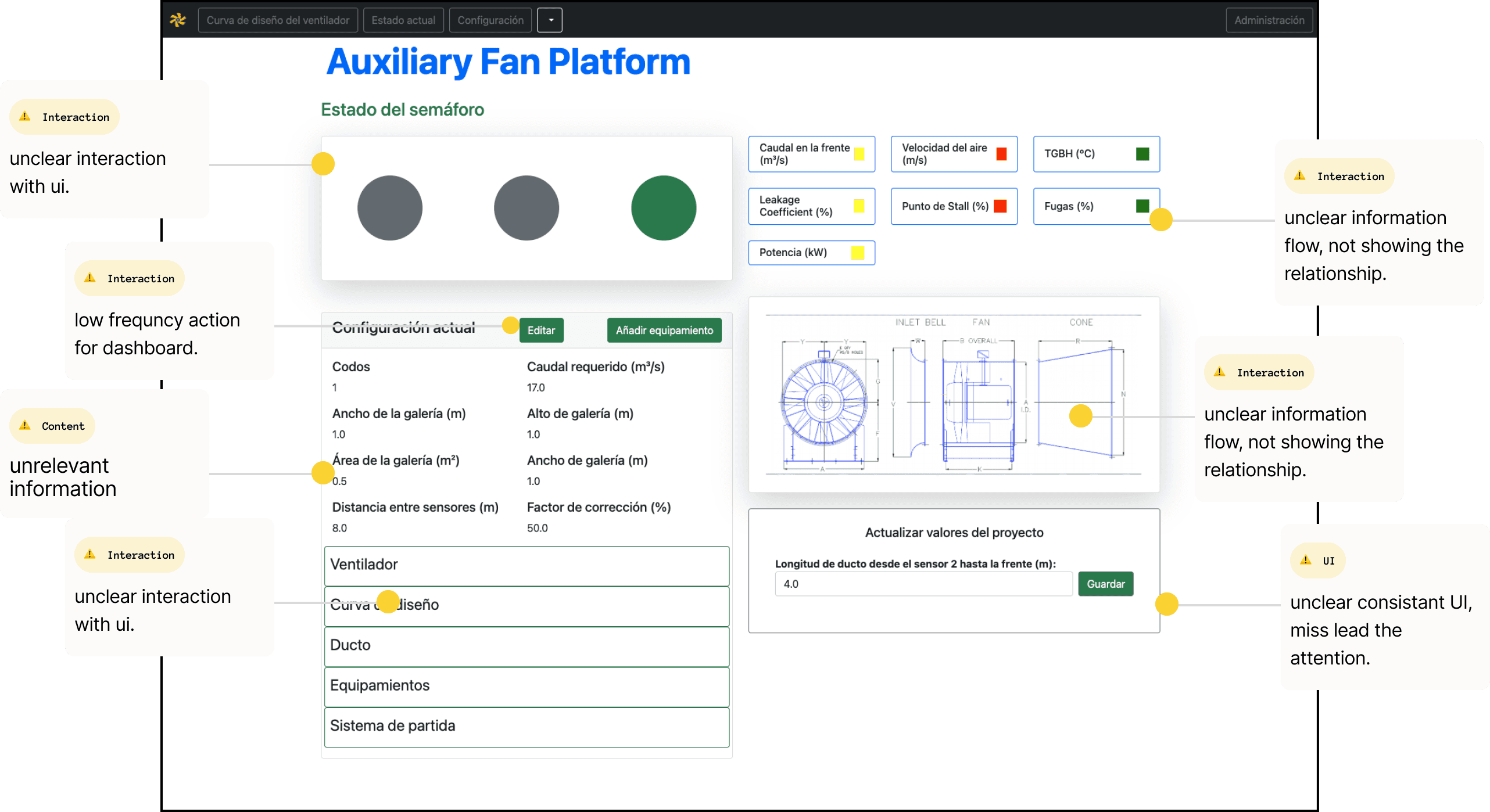
Through heuristic analysis of the current system, we identified three main issues: 1. Data hierarchy was inconsistent and often redundant. 2. Navigation between functions lacked clear flow. 3. The interface did not reflect role-specific goals.

Redesign Goals Definition

Refining user flow before touching the UI.

Through heuristic analysis of the current system, we identified three main issues: 1. Data hierarchy was inconsistent and often redundant. 2. Navigation between functions lacked clear flow. 3. The interface did not reflect role-specific goals.

Redesign Goals Definition

Refining user flow before touching the UI.

Through heuristic analysis of the current system, we identified three main issues: 1. Data hierarchy was inconsistent and often redundant. 2. Navigation between functions lacked clear flow. 3. The interface did not reflect role-specific goals.

Analysed current UI
Goal 1

Always start with flows, not style.

Goal 2

Bringing hidden workflows into clearer visibility.

Goal 3

Modernizing interaction without losing industrial familiarity.
Problem Statement

Problem Statement

Problem Statement

Ideation

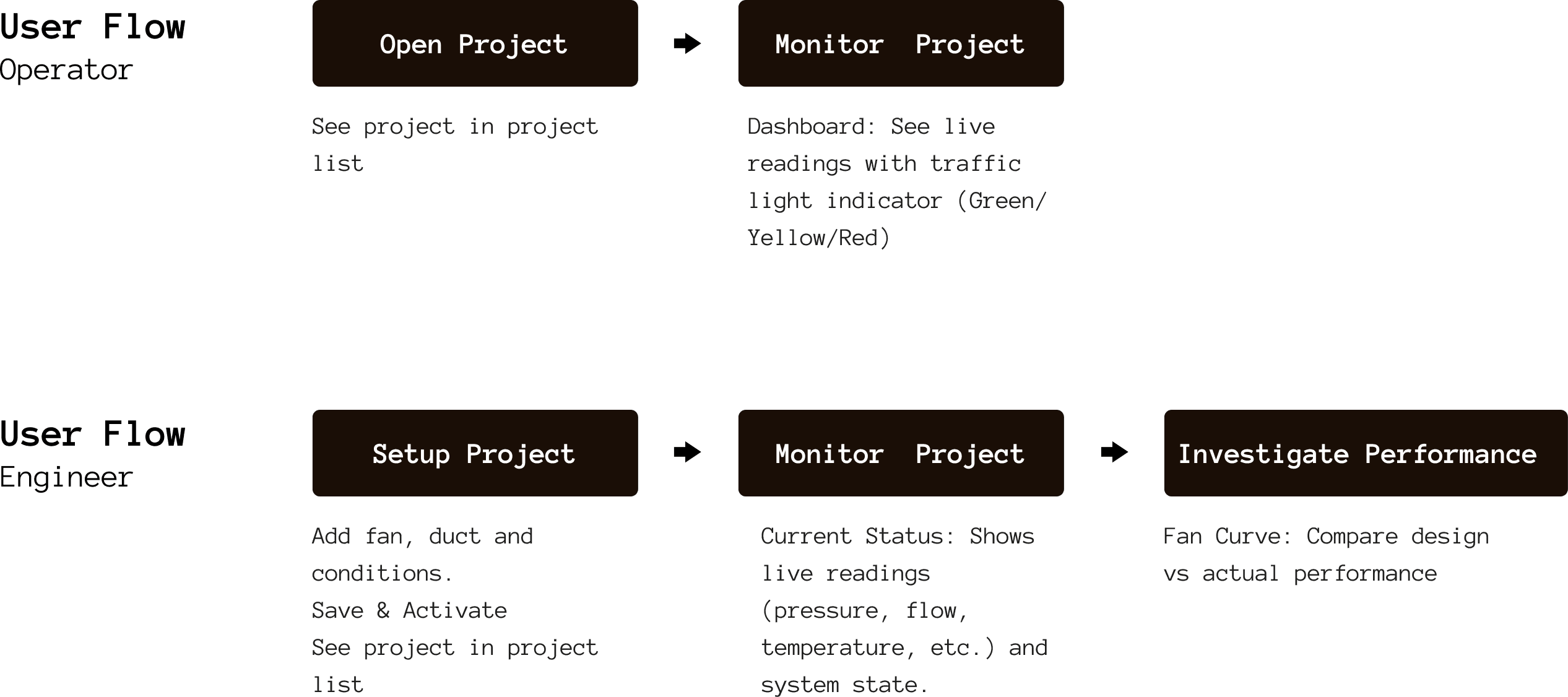
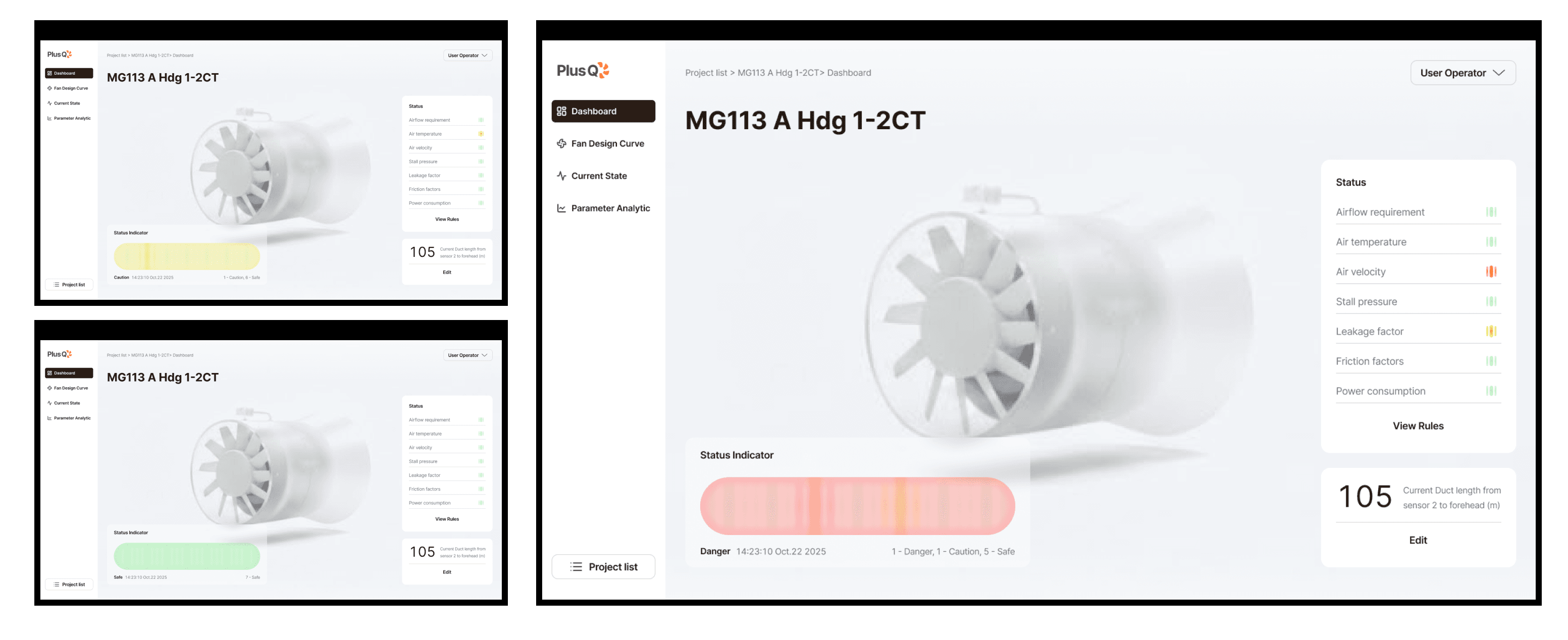
With this clarity, I focused on redefining structure before visuals. I redesigned user flows separately for operators and engineers: dashboards for operators showing key signals at a glance, and structured parameter views for engineers supporting deeper analysis.

Ideation

With this clarity, I focused on redefining structure before visuals. I redesigned user flows separately for operators and engineers: dashboards for operators showing key signals at a glance, and structured parameter views for engineers supporting deeper analysis.

Ideation

With this clarity, I focused on redefining structure before visuals. I redesigned user flows separately for operators and engineers: dashboards for operators showing key signals at a glance, and structured parameter views for engineers supporting deeper analysis.

Redesigned User Flows

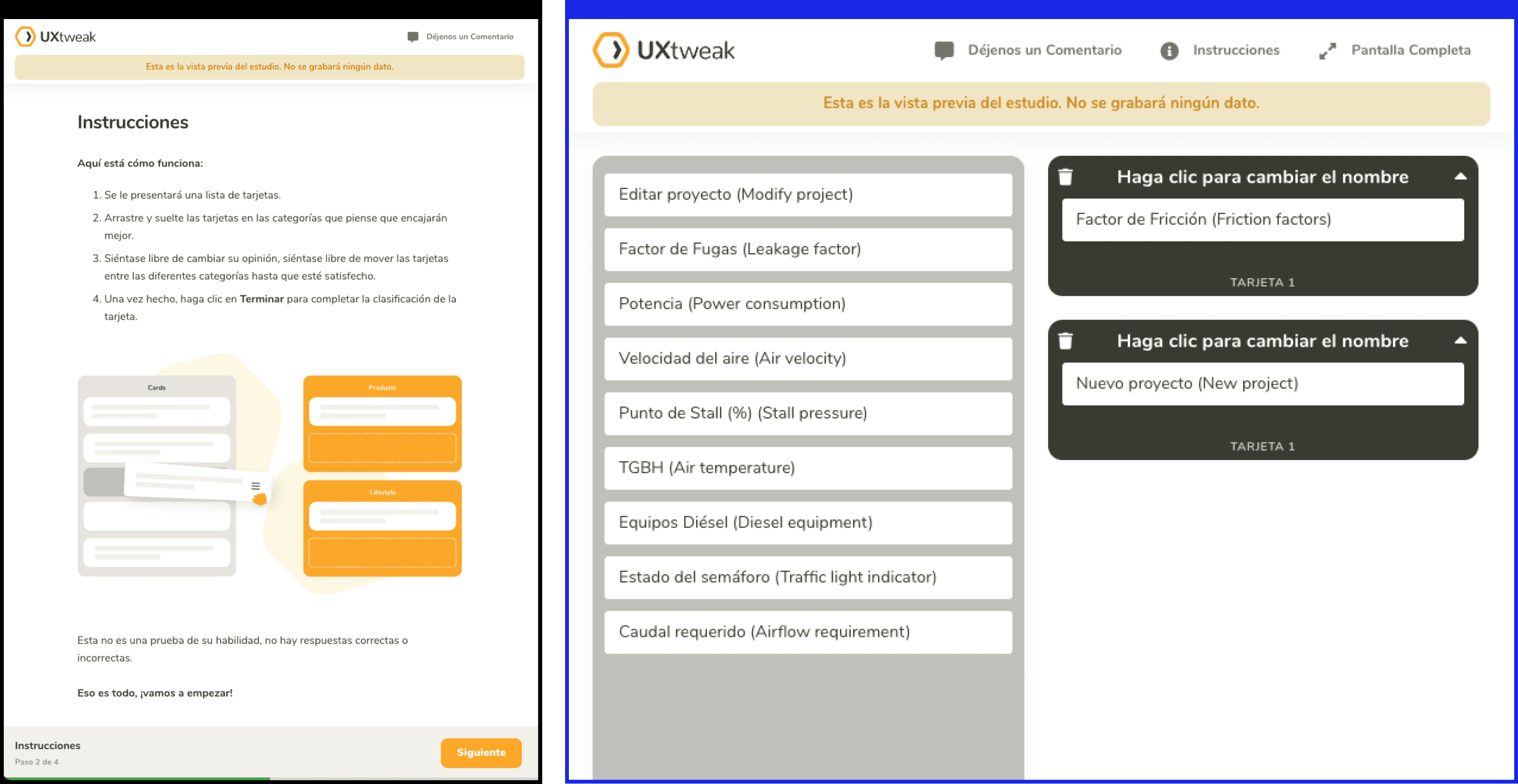
To validate hierarchy, we ran a card-sorting exercise to observe how users grouped related data and functions. The results shaped a coherent information structure and guided interface orientation — from high-level overviews to detailed analytical screens.
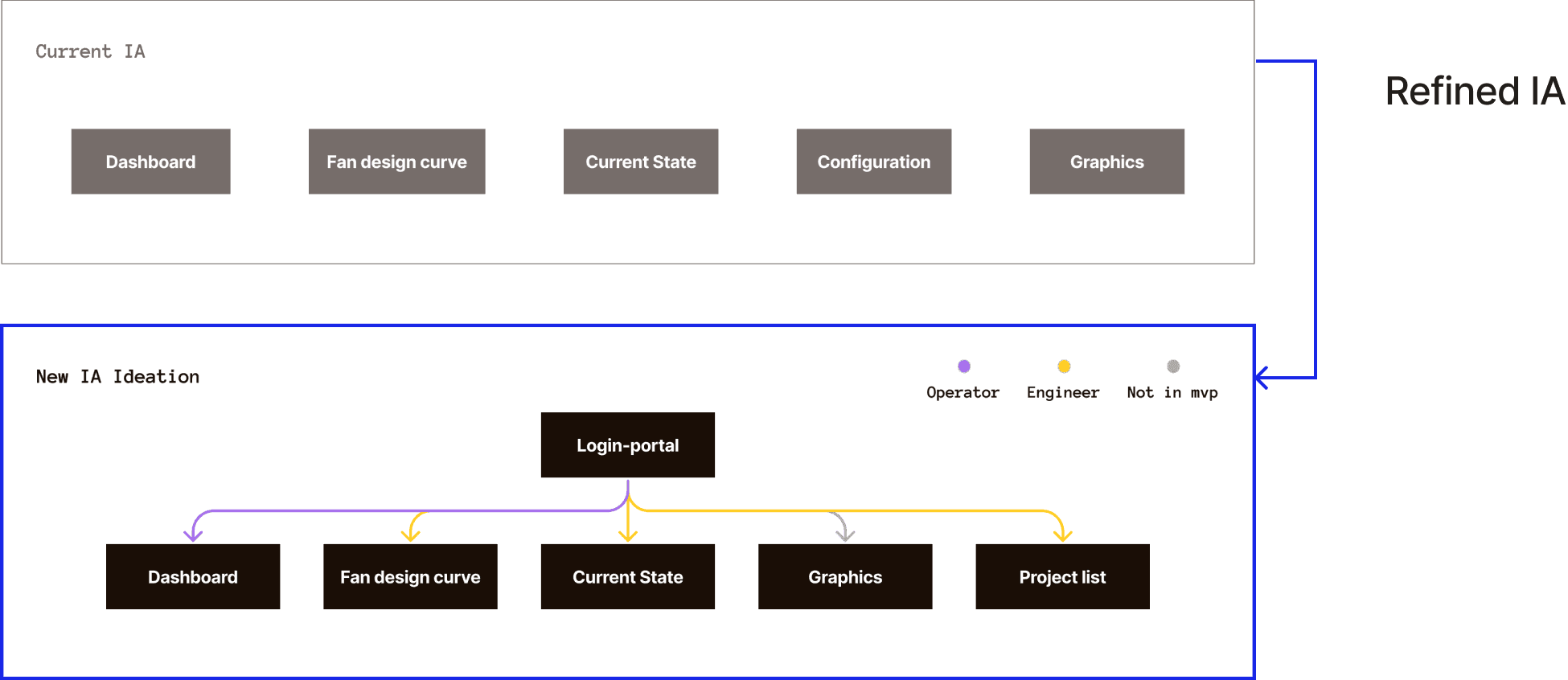
To validate hierarchy, we ran a card-sorting exercise to observe how users grouped related data and functions. The results shaped a coherent information structure and guided interface orientation — from high-level overviews to detailed analytical screens.

To validate hierarchy, we ran a card-sorting exercise to observe how users grouped related data and functions. The results shaped a coherent information structure and guided interface orientation — from high-level overviews to detailed analytical screens.

Current & New Redesigned IA
Card Sorting with Users
Define Different Orientations
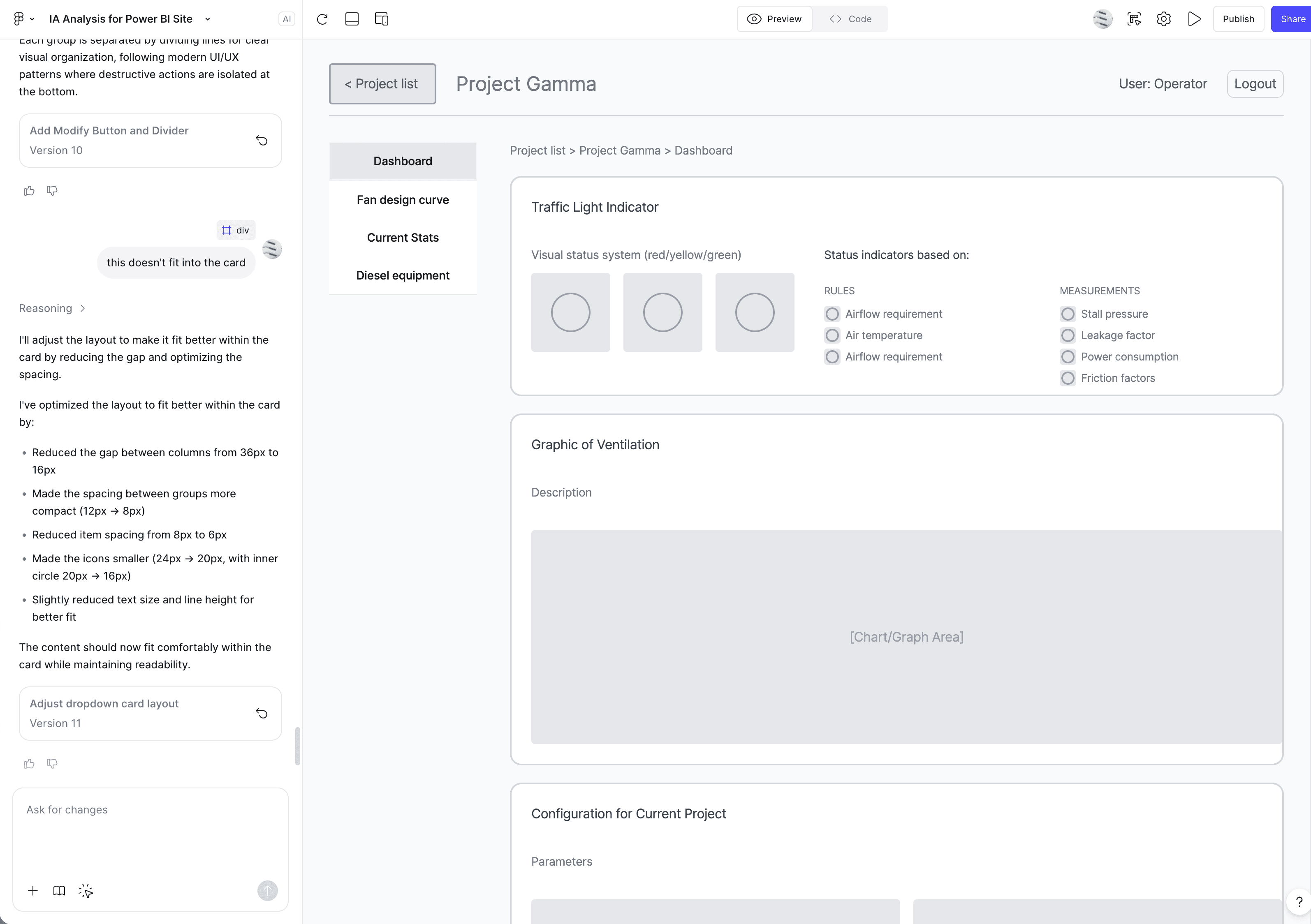
Mid-Fi Iteration

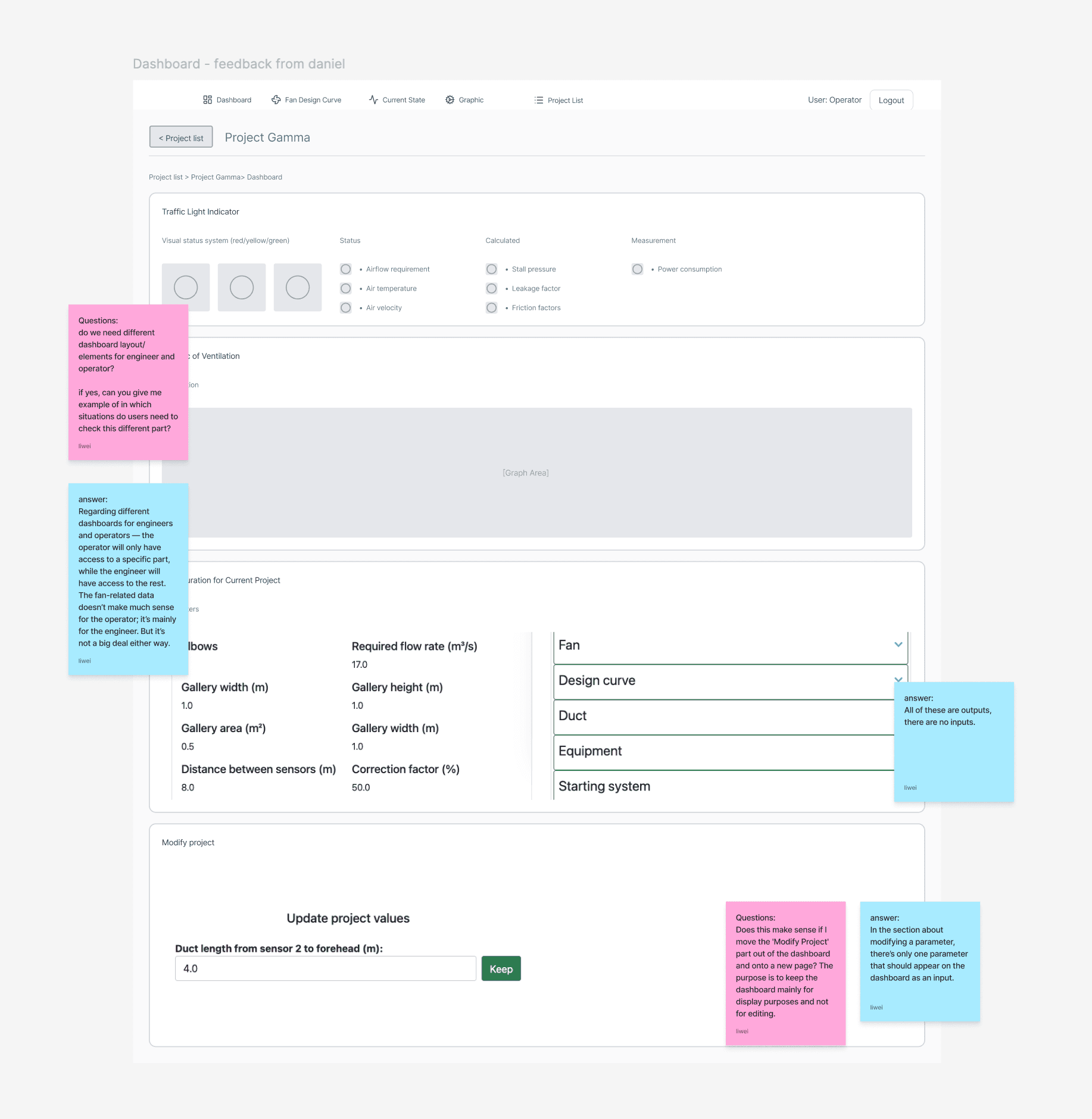
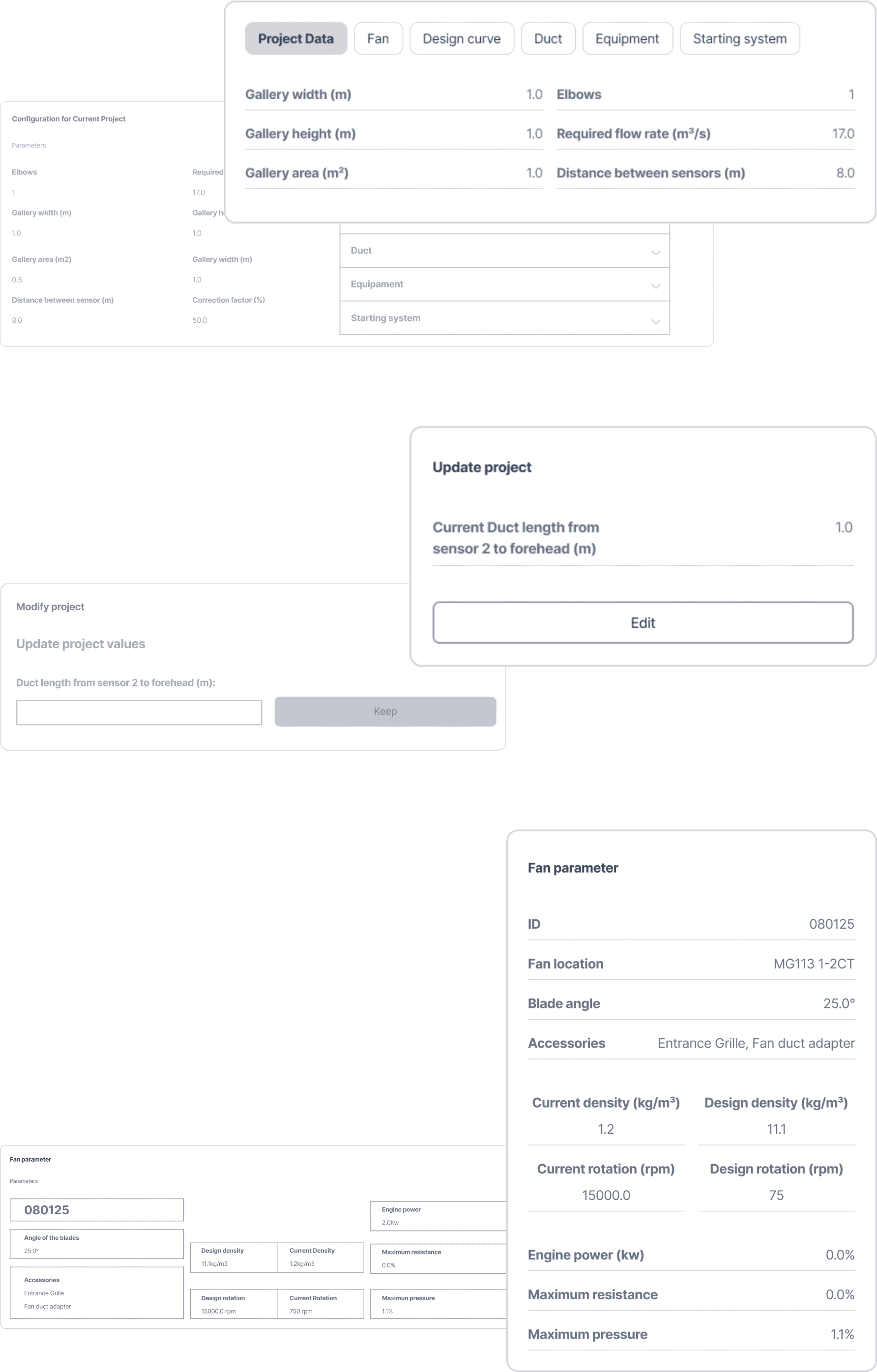
Early prototypes focused on data legibility and flow continuity across pages. Feedback from Daniel confirmed that the new hierarchy made the platform easier to navigate and interpret.

Mid-Fi Iteration

Early prototypes focused on data legibility and flow continuity across pages. Feedback from Daniel confirmed that the new hierarchy made the platform easier to navigate and interpret.

Mid-Fi Iteration

Early prototypes focused on data legibility and flow continuity across pages. Feedback from Daniel confirmed that the new hierarchy made the platform easier to navigate and interpret.

Brand & Style Guides

A neutral industrial palette and modular grid were introduced to maintain clarity across dense screens. Typography and color tokens were standardized into a light design system to support future scalability.

Brand & Style Guides

A neutral industrial palette and modular grid were introduced to maintain clarity across dense screens. Typography and color tokens were standardized into a light design system to support future scalability.

Brand & Style Guides

A neutral industrial palette and modular grid were introduced to maintain clarity across dense screens. Typography and color tokens were standardized into a light design system to support future scalability.

Style Guide
Final Design

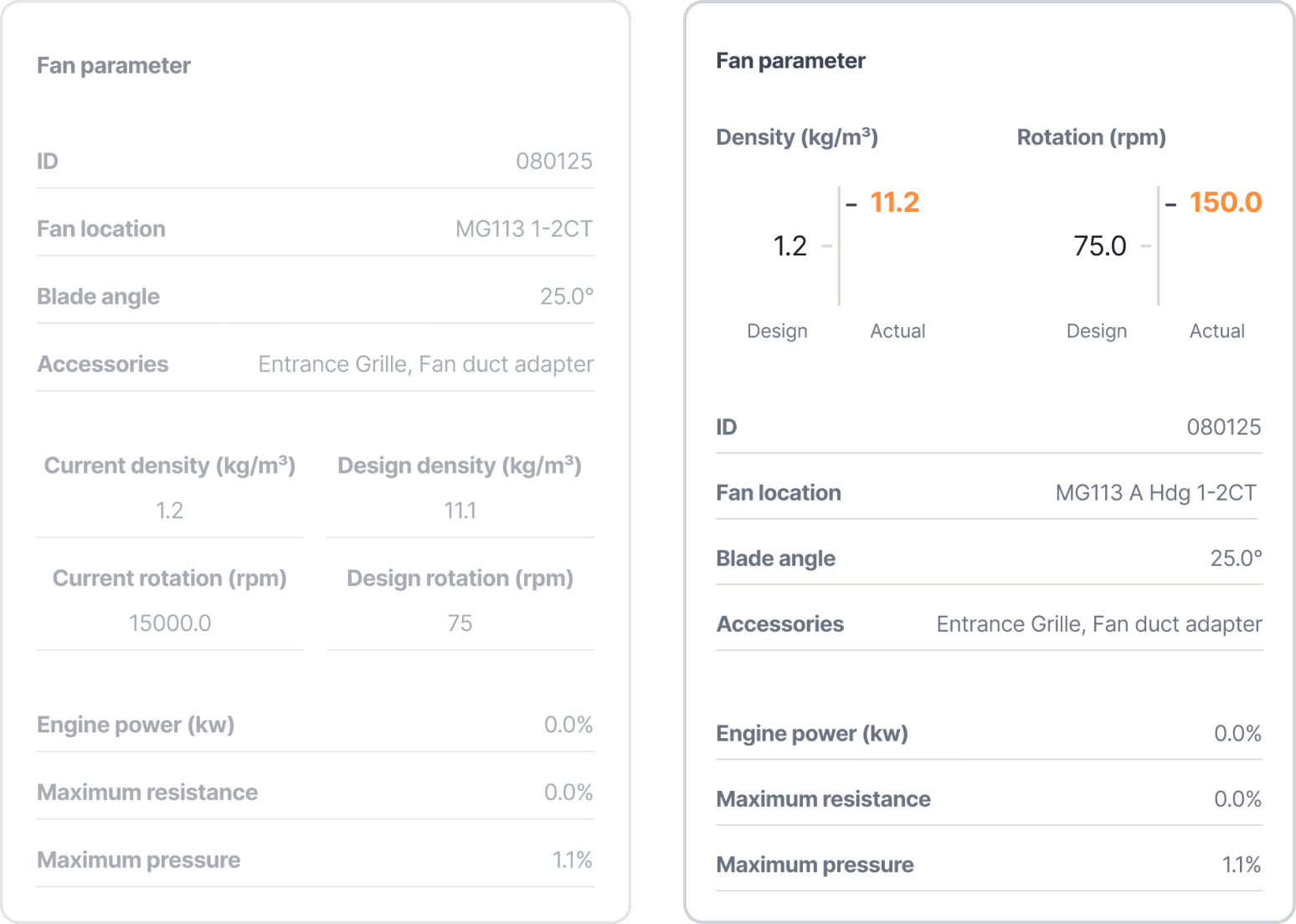
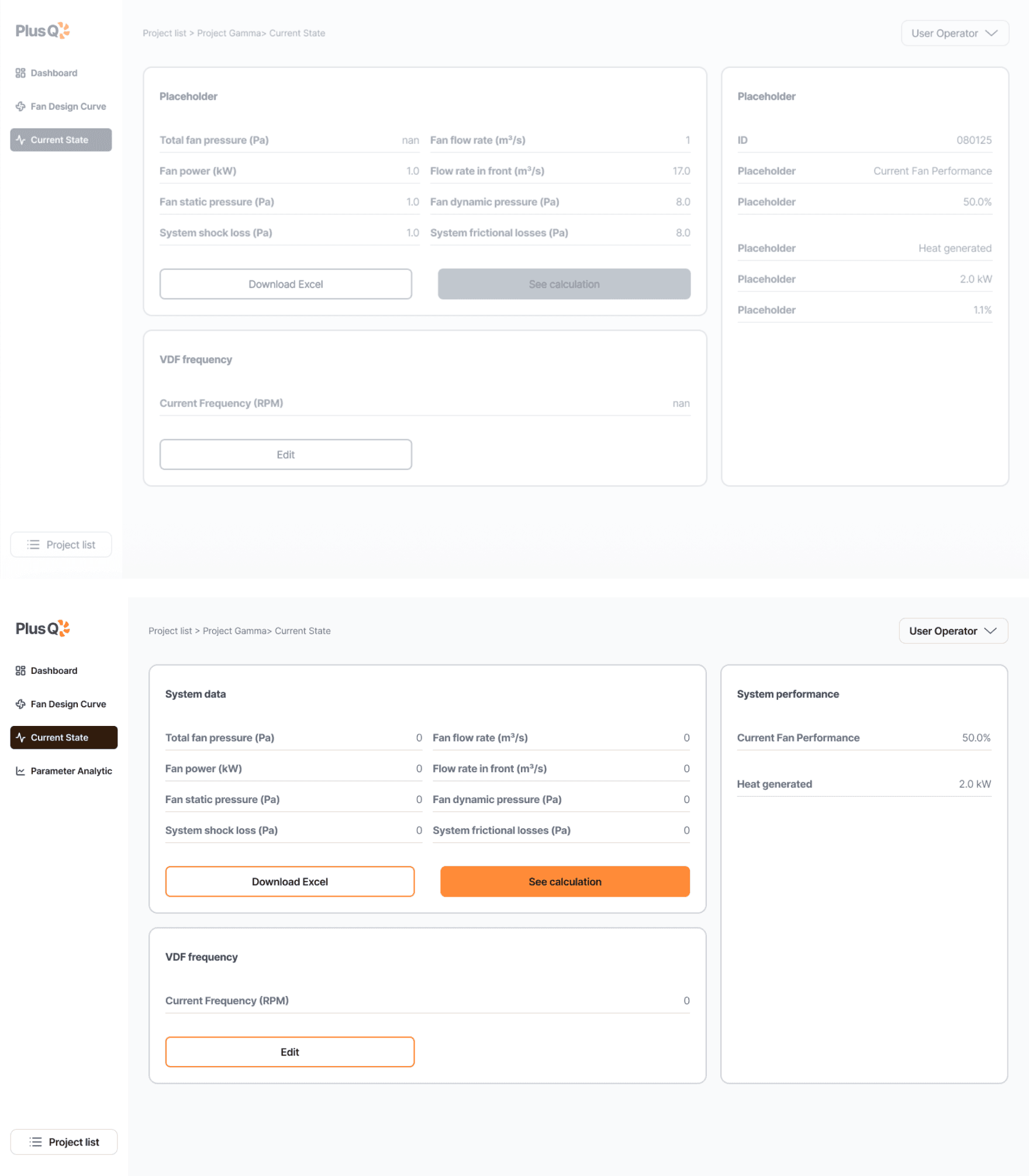
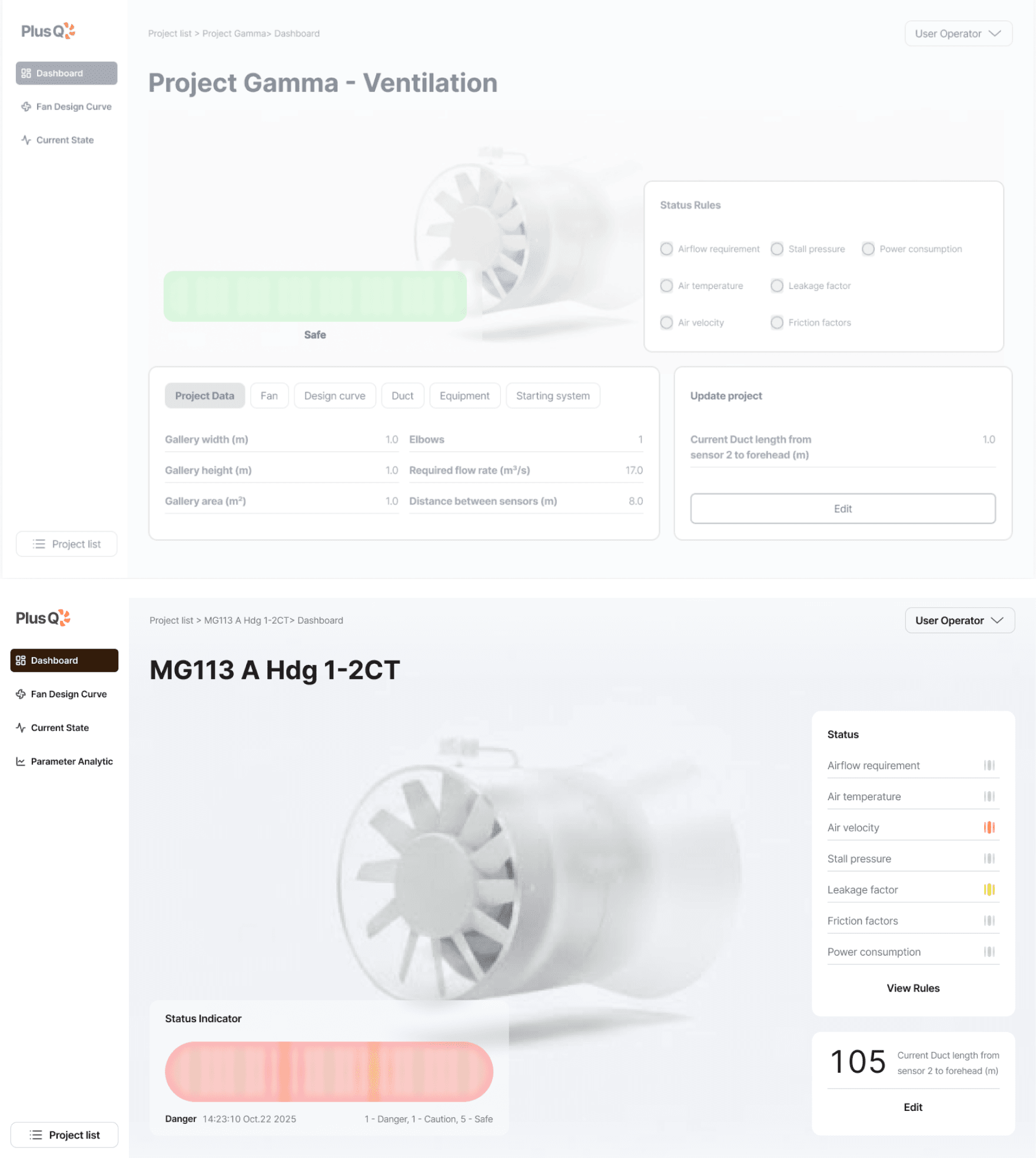
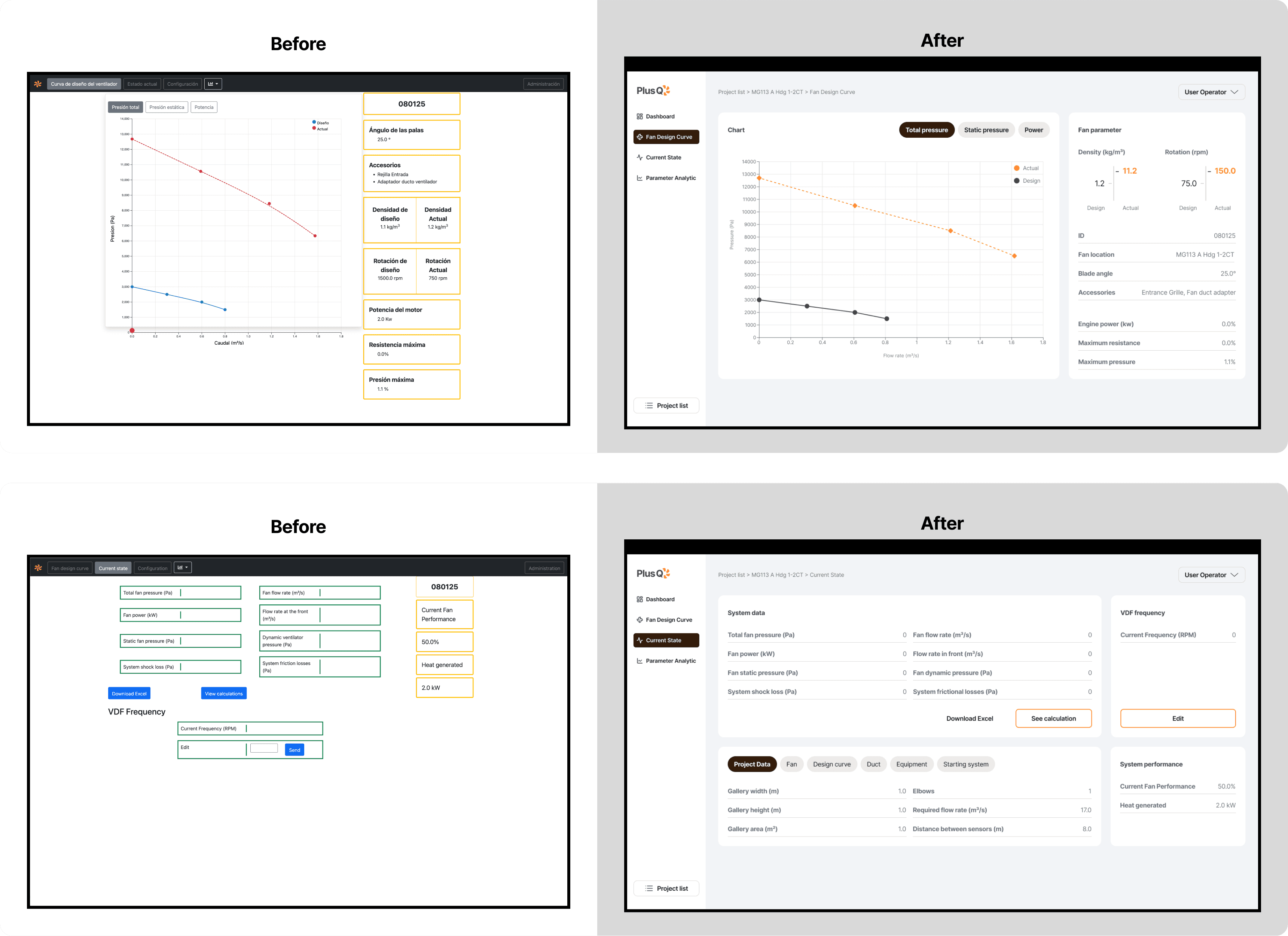
The redesign clarified navigation, aligned user priorities, and modernized the visual language while preserving the professional tone expected in industrial software.

Final Design

The redesign clarified navigation, aligned user priorities, and modernized the visual language while preserving the professional tone expected in industrial software.

Final Design

The redesign clarified navigation, aligned user priorities, and modernized the visual language while preserving the professional tone expected in industrial software.

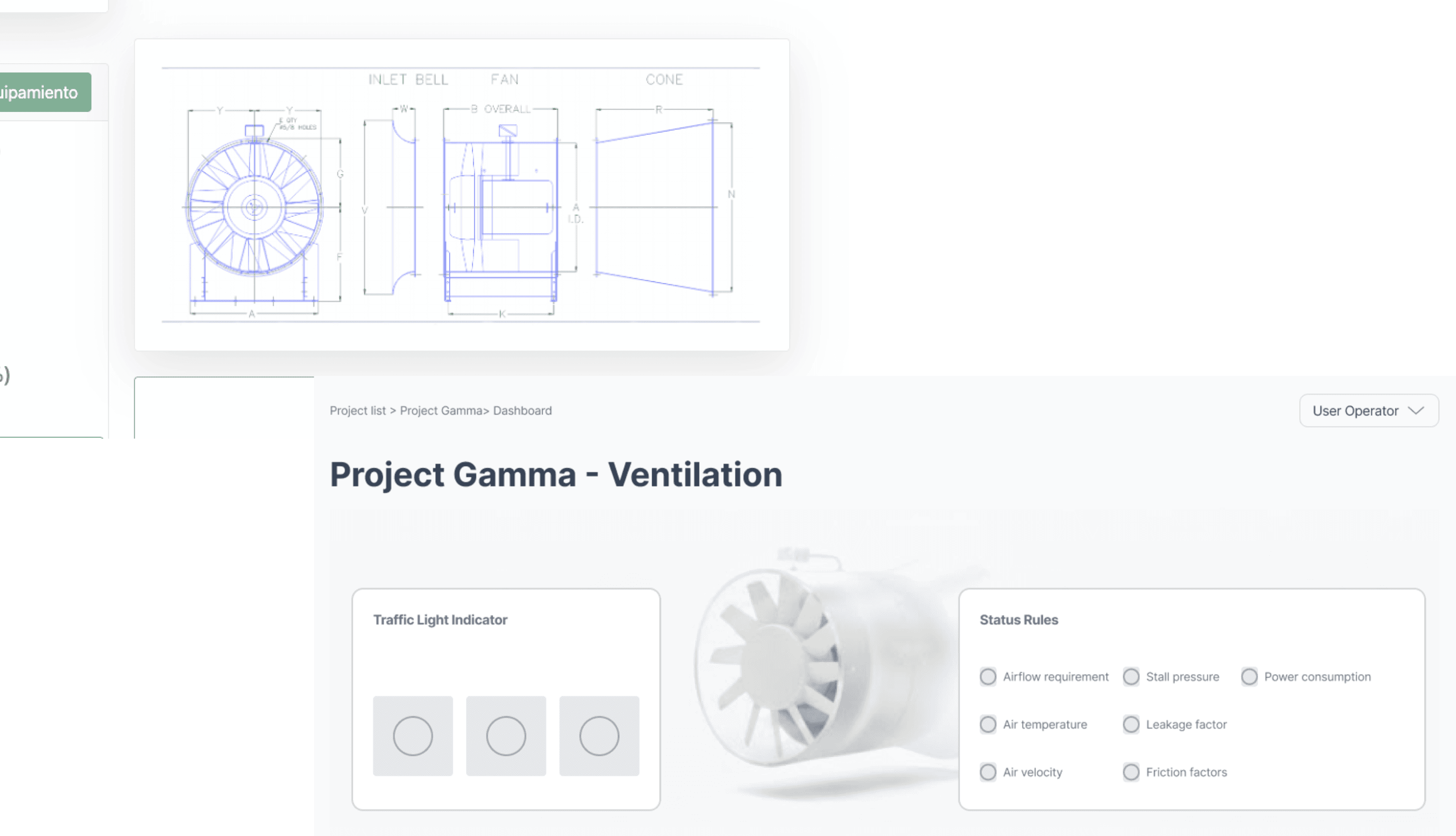
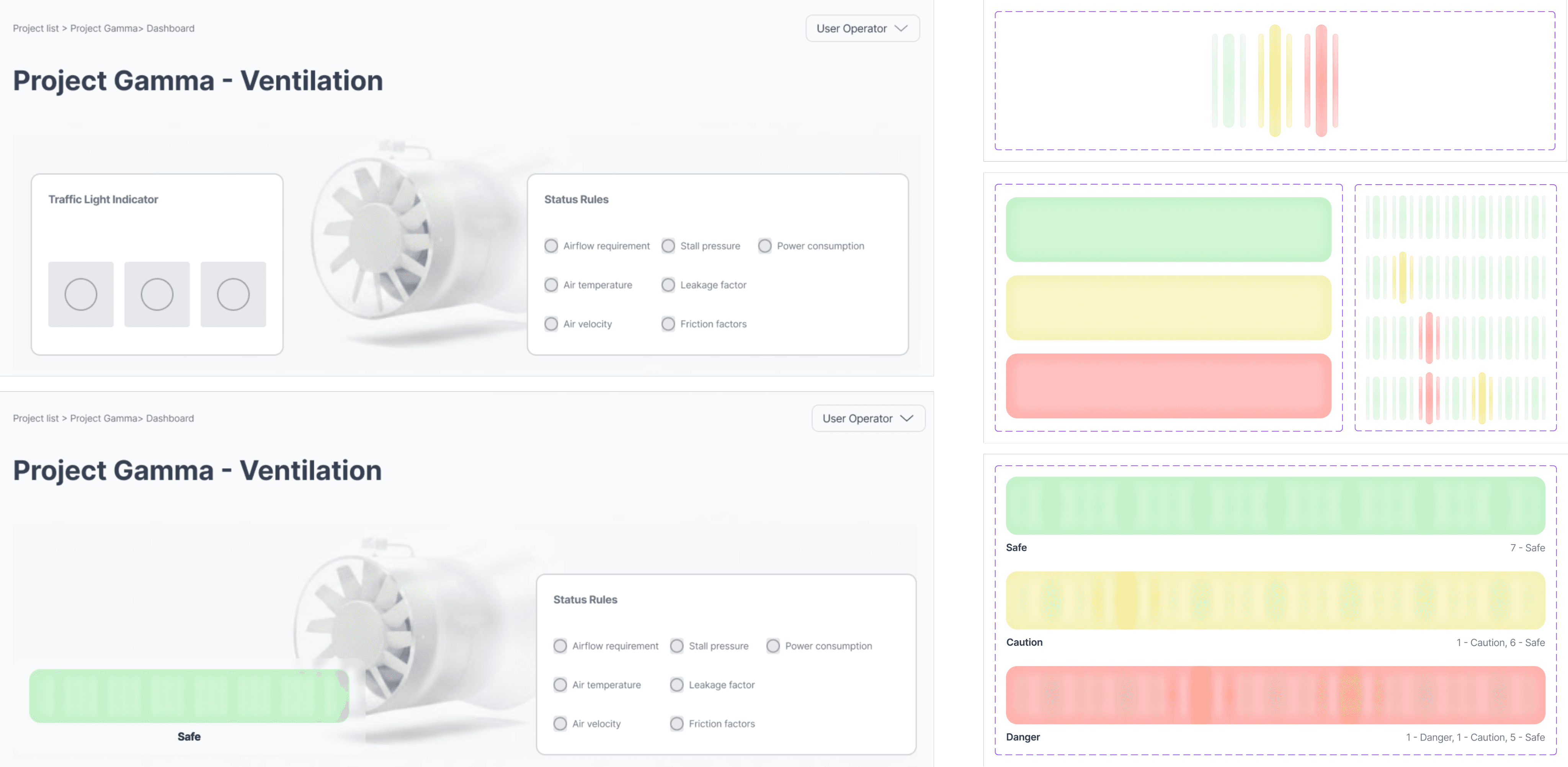
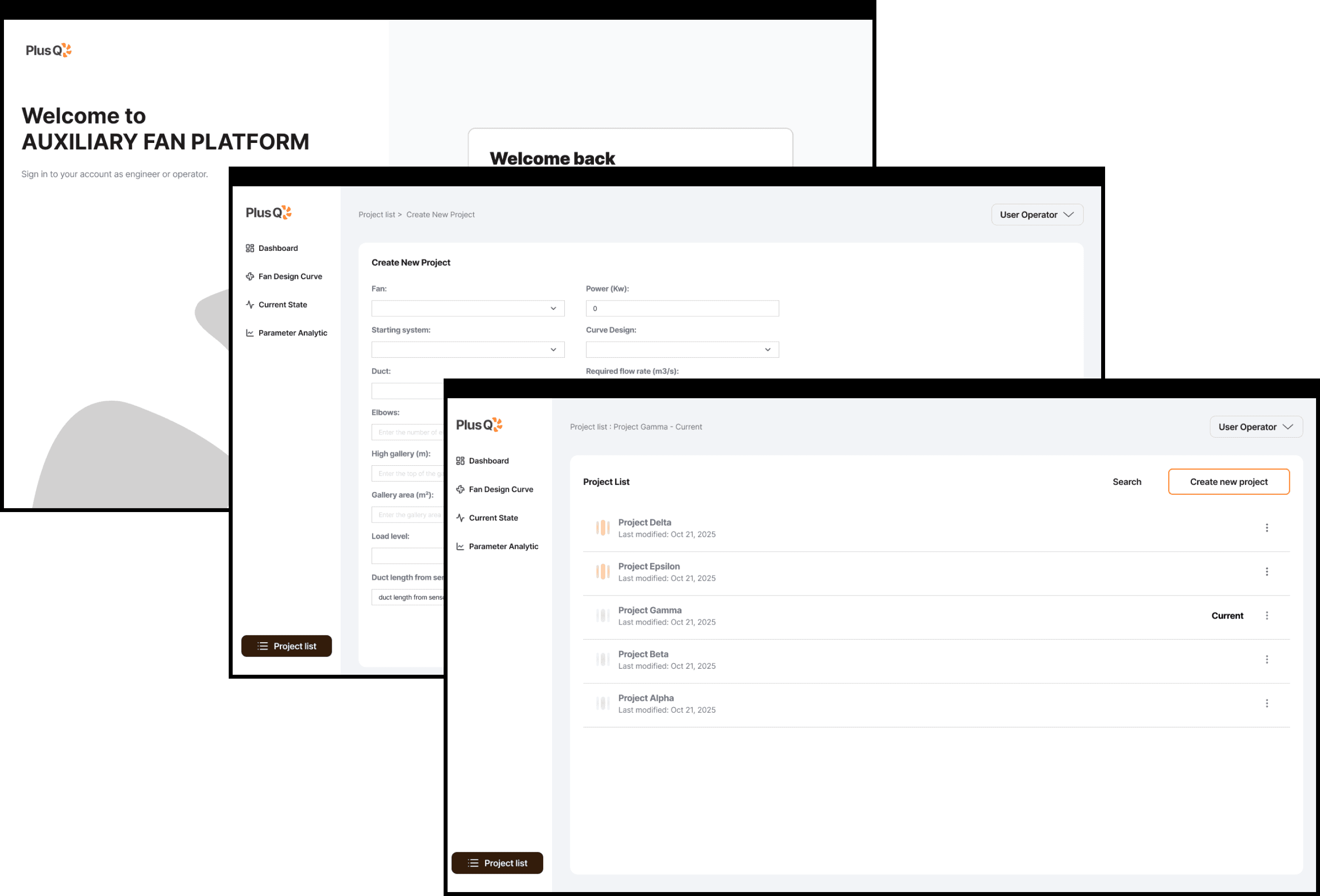
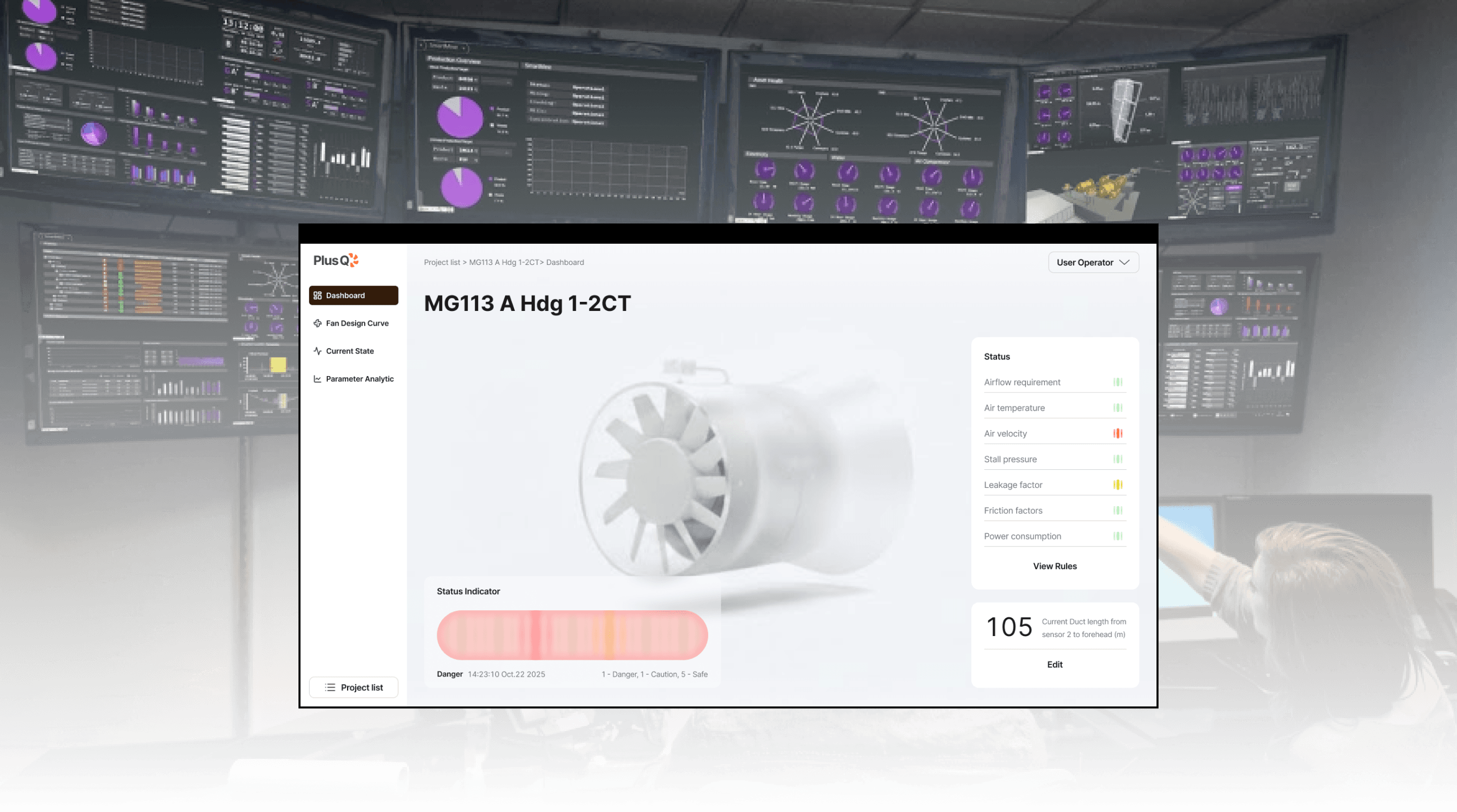
Dashboard with Indicators
Project Management
Project Management
Analysis Pages
Reflection

I learned that in complex technical systems, clarity is not a visual layer but a reasoning structure. It takes time to understand both the task and the domain and the key is to keep moving while refining understanding. By following user flows step by step, patterns emerge naturally, forming a system that balances logic and empathy. When users think, read, and act within a clear workflow, even data-heavy interfaces become legible and safe.

Reflection

I learned that in complex technical systems, clarity is not a visual layer but a reasoning structure. It takes time to understand both the task and the domain and the key is to keep moving while refining understanding. By following user flows step by step, patterns emerge naturally, forming a system that balances logic and empathy. When users think, read, and act within a clear workflow, even data-heavy interfaces become legible and safe.

Reflection

I learned that in complex technical systems, clarity is not a visual layer but a reasoning structure. It takes time to understand both the task and the domain and the key is to keep moving while refining understanding. By following user flows step by step, patterns emerge naturally, forming a system that balances logic and empathy. When users think, read, and act within a clear workflow, even data-heavy interfaces become legible and safe.

Outcome

Awards from Ironhack Programme 🏅 All-Rounder Excellence – Final Project Award & Hackshow Representative 🏅 Most Credible Research – Final Project Award

Outcome

Awards from Ironhack Programme 🏅 All-Rounder Excellence – Final Project Award & Hackshow Representative 🏅 Most Credible Research – Final Project Award

Outcome

Awards from Ironhack Programme 🏅 All-Rounder Excellence – Final Project Award & Hackshow Representative 🏅 Most Credible Research – Final Project Award

“They spent so much time understanding what the project was about and still managed to complete every stage of testing and improvement. We’re very proud of this final result.”

Tutor
Sarah Bombaywala

“At first, I thought they wouldn’t finish on time, but the results are great. I’m very happy with what they accomplished.”

Stakeholder
Daniel Sepúlveda

Get in touch

Get in touch

Work with Liwei to make your product more thoughtful and easier to use.

Work with Liwei to make your product more thoughtful and easier to use.

liwei.liu@hotmail.com

Liweiworks

Liweiworks

© liweiworks.com All rights reserved

© liweiworks.com All rights reserved